The 2027 HVAC software buyer’s guide
Best Software for HVAC Businesses 2027
Quick answer
QuoteIQ is our best overall pick for HVAC businesses in 2027. It brings estimating, scheduling, customer communication, and billing into one platform, with inventory, routing, and team tools available on higher plans.
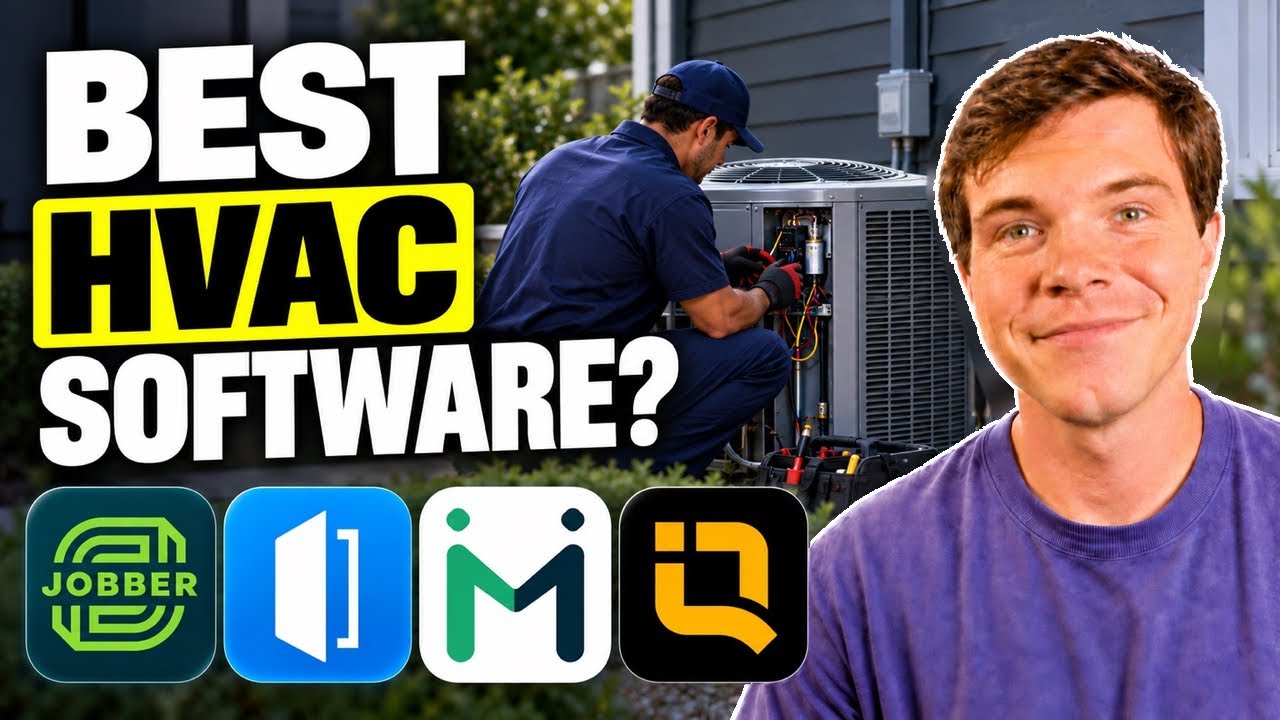 Watch the comparison
Academy ↗
TL;DR · The 30-second summary
Which HVAC software should you choose?
- Best overall: QuoteIQ
A broad set of business tools for HVAC service companies. Why it leads our shortlist.
- Small-business starting price: $29.99/month
Essentials includes one user. Compare all five plans.
- Choose the plan for your team
Pro adds ClientHub and job costing. Elite adds inventory, routing, and EmployeeHub. Check technician tools.
- Compare the alternatives by workflow
Jobber for everyday service work; Housecall Pro for residential HVAC tools; ServiceTitan for complex operations. See all four picks.
Watch the review
Watch the best HVAC software comparison for 2027.
Watch the full walkthrough or jump to a topic. The guide below adds a scannable comparison, current plan details, and a practical trial checklist.
The shortlist
Best HVAC software for 2027: four platforms compared
Our recommendations prioritize the complete HVAC workflow, plan fit, and total cost.
QuoteIQ
Best overall for a broad set of built-in business tools.
Jobber
Alternative for everyday service workflows and integrations.
Housecall Pro
Alternative for residential HVAC and membership tools.
ServiceTitan
Alternative for complex, commercial, or multi-location work.
Starting prices are standard monthly USD rates for one user where published, checked October 29, 2026. Annual billing, selected features, and team size change the comparison. A starting plan is not the same as a complete HVAC team package.
Side by side
HVAC software comparison: features and plan differences
A checkmark alone misses the important part: which plan includes the workflow, how deep it goes, and whether it needs another subscription.
What all four platforms can do
Each platform supports the core field service workflow. Specific features and limits depend on the package; the differences become clearer when you move beyond the basics.
- Customer records
- Quotes and estimates
- Job scheduling
- Invoices and payments
- Mobile access
- Business reporting
Swipe the table to compare all four platforms →
| HVAC workflow | QuoteIQOUR OVERALL PICK | Jobber | Housecall Pro | ServiceTitan |
|---|---|---|---|---|
| Estimates & proposals | Four estimate typesProposals on all plans; credit charges on lower tiers. | Quotes on CoreVisual upgrades and optional items on Grow. | Quotes + proposalsProposal inclusion varies by HVAC package. | Mobile estimatesPublished from Essentials; proposal tools depend on setup. |
| Recurring maintenance | Visits + subscriptionsRecurring scheduling and billing on every plan. | Recurring jobsAutomatic payment collection starts on Connect. | Service plansHVAC membership packaging varies. | Memberships + agreementsPackage and commercial configuration matter. |
| Dispatch & routing | Individual dispatch: ProRoute optimization: Elite & above. | Scheduling on CoreRouting and automation depend on plan. | Scheduling + dispatchRoute optimization listed on MAX. | Core dispatchingEnhanced Pro products are separate. |
| Photos & field records | QuoteIQ CamDetailed inspections and reports: Beginner & above. | Job photos + checklistsExpanded media tools on Plus. | Job + equipment recordsHVAC-specific tools vary by package. | Forms + installed assetsDetailed equipment history and configuration. |
| Parts inventory | Built-in inventoryTrucks, warehouses, purchase orders: Elite & above. | Product catalogDedicated stock workflows may need an integration. | Material trackingPly integration for deeper stock workflows. | Inventory + purchasingNative modules; confirm contracted configuration. |
| Online booking | InstaQuote + InstaScheduleCustomer self-quoting and scheduling: Elite & above. | Online bookingService options and calendar availability. | Online bookingAppointment booking and customer scheduling. | Scheduling ProConfirm package and booking costs. |
| AI & communication | Built-in AI toolsIQ Credit usage; ClientHub starts on Pro. | AI assistant + MCPReceptionist is included on Plus or sold separately. | AI Team + CSR AICalling, booking, and HVAC assistance vary by product. | Titan Intelligence + Field ProAvailability depends on product and subscription. |
Sources: current plan matrices and product documentation. [1][2][3][4][7][10][11][12][13] “Built-in” describes where a feature lives; it does not mean unlimited usage or availability on every plan.
QuoteIQ
Our top recommendation for 2027

QuoteIQ earns our top spot because it connects the work that an HVAC owner would otherwise manage across several tools. Estimates, proposals, repeat visits, customer communication, field documentation, and invoicing sit within the same platform. Higher plans add inventory, employee tools, routing, and customer self-service.
That breadth matters when a repair turns into a replacement opportunity, or a completed tune-up becomes a recurring customer. The team can keep the customer record, scope, photos, and payment trail together instead of rebuilding the job in a separate system. It is a practical advantage for owners who want fewer handoffs and a clearer view of the business. [5][6][8]
Sell the work clearly
Use standard, quick, options, or package estimates. Build a proposal around the scope, photos, terms, and signature. AI Estimator can draft a quote from job details for your review. [5]
Jobber
Jobber is worth considering for a service team focused on a familiar sequence: receive a request, quote, schedule, finish, and invoice. Its online booking is a real appointment workflow, with service options and availability controls. [11]
Connect adds follow-ups and automatic payment collection. Grow adds richer quotes, job costing, and two-way texting. Plus includes Receptionist, Marketing Suite, and Pipeline, so those should not be counted again as separate add-ons. [2]
Jobber also connects to ChatGPT and Claude through MCP. Both platforms support external AI connections. [11]
Look closely at: the price for your actual user count, which automations you need, and whether inventory or other specialist tools require additional products.
Housecall Pro
Housecall Pro deserves a look for residential HVAC companies that want equipment records, memberships, customer booking, and proposal workflows. Its HVAC offering includes tools that go beyond basic appointment scheduling. [3]
Its CSR AI can answer calls and book jobs. The documented Bluon integration adds HVAC equipment and technical-reference assistance. Native material tracking and a separate Ply integration cover different levels of inventory needs. [12]
Look closely at: the exact HVAC package. The general pricing page and HVAC page show different bundles and team prices. Ask for a written quote that names the proposal, membership, equipment, and inventory tools included.
ServiceTitan
ServiceTitan is a serious candidate when the requirement is more involved than keeping a small service crew organized. Its documentation covers installed equipment by customer location, purchasing, truck and warehouse stock, and commercial service agreements. [13]
That depth can matter for a business managing multiple locations, detailed asset records, or a larger office and field team. Pricing is quoted per technician. Core packages and additional Pro products should be evaluated together. [4]
Look closely at: the full contract, implementation scope, required modules, and training. There is no verified public base price to plug into a universal monthly cost comparison.
Pricing, with the details
How much does HVAC business software cost in 2027?
Start with the plan that covers your work. Then count users, usage, and any additional products. These QuoteIQ prices are the current published rates.
Swipe to see all plan details →
| QuoteIQ plan | Monthly price | Users | IQ Credits / month | Selected tools added at this level |
|---|---|---|---|---|
| Essentials | $29.99 | 1 | 500 | Estimates, invoices, recurring visits and billing, price book, AI tools. |
| Beginner | $99.99 | 2 | 1,500 | Detailed QuoteIQ Cam tools, expense tracking, Google Calendar sync. |
| Pro | $199.99 | 4 | 3,000 | ClientHub, automations, job costing, client portal, individual dispatch. |
| EliteBroad team toolkit | $299.99 | 10 | 5,000 | EmployeeHub, inventory, routing, pipelines, InstaQuote, InstaSchedule. |
| Max | $699.99 | 20 | 8,000 | Named crews, crew scheduling, and sales team tracking. |
USD, billed monthly. Annual totals: $299.99 / $999.99 / $1,999.99 / $2,999.99 / $6,999.99 for the five plans respectively. Additional users are $25 per user per month. [1]
What to budget beyond the subscription: IQ Credits are shared across metered tools. Attaching a proposal to an estimate uses 100 IQ Credits once on Essentials, Beginner, and Pro. Editing or resending does not add another proposal charge. The charge is waived during the trial and on Elite and Max. Payment processing and optional services can add costs. [5]
Compare the same billing basis: Jobber Core is $49 monthly or $29 per month with annual prepayment. Housecall Pro Basic is $79 monthly or $59 per month on its general annual offer. ServiceTitan requires a quote. Higher-tier HVAC bundles need their own comparison. [2][3][4]
Budget for the way
your business works.
For example, a five-person team fits within QuoteIQ Elite’s 10 included users at $299.99 per month. That is the base subscription, before metered usage and other applicable costs. The fair comparison is a competing package that meets the same requirements. [1]
Built around the HVAC workday
Which HVAC software features actually matter?
An HVAC CRM should help you handle the full job—not just store a customer’s phone number. These are the workflows we would put through a trial before choosing a platform.
Repair, replacement, options, and customer approval.
Technician, appointment, route, and customer updates.
Photos, readings, parts, time, and completed work.
Payment, maintenance visits, and the next opportunity.
HVAC estimates and replacement proposals
The useful test is whether the software can explain the job clearly enough for the customer to decide. A replacement estimate should capture equipment, accessories, labor, removal, exclusions, and the options you actually offer. Reusable prices and templates help keep that scope consistent.
QuoteIQ supports four estimate formats and a proposal builder. AI Estimator can turn descriptions and photos into a draft; review equipment, quantities, labor, and pricing before sending it. Jobber’s richer quoting tools, Housecall Pro’s proposals, and ServiceTitan’s sales workflows are also worth demonstrating against the same replacement. [5][2][3]
Industry referenceACCA’s Manual J residential load-calculation standard addresses equipment-sizing loads. Use your HVAC estimating software to present the approved equipment, labor, scope, and price; an AI-generated quote is not a completed load calculation.
Try this: Present a repair and two replacement options. Change the equipment price once, add the scope and exclusions, and check exactly what the homeowner receives.
Service agreements and recurring maintenance
Separate the visit schedule from the payment schedule. A customer might pay monthly for a plan that includes a spring cooling visit and a fall heating visit. Your software should make both schedules clear without treating each payment as a new appointment.
QuoteIQ provides recurring scheduling and invoice subscriptions on every plan. A full membership system may also need benefits, renewals, covered equipment, and entitlement rules. Housecall Pro and ServiceTitan have documented membership or service-agreement workflows; test those extra requirements if they are central to your business. [6][3][13]
Industry referenceENERGY STAR’s maintenance checklist recommends cooling checks in spring and heating checks in fall. In your software trial, schedule both visits, add the relevant checklist, and check how the office finds the completed service record.
Try this: Set up two annual visits with monthly billing. Then change one appointment and confirm that it does not unintentionally change the billing schedule.
Scheduling, dispatch, and route planning
A calendar needs to stay usable when the day changes. Look for clear assignments, appointment windows, rescheduling, and communication. Routing is useful, but the closest technician is not always the right person for a particular diagnosis or installation.
QuoteIQ adds individual employee dispatch on Pro & above and route optimization on Elite & above; named crews are a Max feature. The other platforms also provide scheduling and dispatch tools. Test your technician skills, job duration, travel, and emergency-call process rather than assuming a route optimizer handles every constraint. [7][4]
Try this: Move a flexible tune-up to make room for a no-cool call. Check the assigned technician, customer notification, and effect on the rest of the route.
Job photos, inspections, and equipment history
Field documentation should be easy to find when a customer calls back. Data-plate photos, readings, repair notes, parts used, and signed forms create a more useful record than an unorganized camera roll.
QuoteIQ Cam provides job documentation, inspection tools, and reports on Beginner & above. A larger commercial operation may also need a searchable equipment record for each unit, with serial numbers, warranties, and history across repeated visits. ServiceTitan documents that deeper asset structure; it should be evaluated separately from photo storage. [10][13]
Industry referenceThe EPA’s Section 608 recordkeeping guidance distinguishes records for refrigerant servicing and disposal. Test whether you can retain and retrieve the equipment, dates, quantities, and supporting documents that apply to your work. Requirements depend on the activity and equipment involved.
Try this: Record a visit to a property with three units. Ask another team member to find the notes and photos for the correct unit without your help.
Truck inventory and purchase orders
A price book and a stockroom are different things. A catalog tells the technician what to charge. Inventory tells the business how many parts it has, where they are, and what needs replenishing.
QuoteIQ’s built-in inventory on Elite & above supports locations, suppliers, stock thresholds, and purchase orders. Its documented workflow deducts inventory from paid invoices, which is worth testing against how your team issues parts. Housecall Pro’s material tracking and Ply integration serve different needs; ServiceTitan documents native inventory and purchasing modules. [10][12][13]
Try this: Move a capacitor from the warehouse to a truck, use it on a job, and reconcile the stock. Then receive a purchase order and confirm the new quantity.
Invoicing, payments, and job profitability
The job is not financially finished when the technician leaves. Check deposits, invoice conversion, payment collection, recurring billing, and what the office sees when money remains outstanding. Then examine whether the job actually made the margin you expected.
QuoteIQ supports online payment methods including cards and ACH, with financing options dependent on the connected provider and eligibility. Job costing starts on Pro & above. Log actual labor, equipment, materials, and extra trips so the next replacement is priced from better information. [9]
Industry referenceThe IRS’s business recordkeeping guidance calls for records showing income and expenses, supported by documents such as invoices and receipts. Test invoice and payment exports and the accounting workflow your bookkeeper will use.
Try this: Take a deposit, complete a two-technician installation, record an extra parts run, and collect the balance. Review the resulting invoice and job cost together.
Business calls, texts, and AI assistance
Useful automation keeps the conversation attached to the customer. A call summary, reminder, or follow-up is more helpful when the next person can see the previous estimate and what was promised.
QuoteIQ ClientHub includes business calls and texting on Pro & above. Virtual Call Team is available on every plan and uses IQ Credits; its published consumption is 125 credits per minute. Jobber offers its Receptionist and MCP connections, while Housecall Pro offers CSR AI. Compare the actual task and usage allowance rather than simply counting “AI” labels. [8][11][12]
Try this: Have an after-hours caller describe a heating problem. Check the captured address, issue, callback details, and handoff to a person before promising a visit.
Online quoting, booking, and follow-up
Self-service works best when the customer can understand what they are booking. A tune-up or diagnostic visit can have a defined scope. An unknown repair or complete system replacement may need inspection before a final price.
QuoteIQ combines InstaQuote and InstaSchedule on Elite & above so customers can select configured services and available appointments. Jobber and Housecall Pro also provide real online booking. The useful distinction is how each tool handles your prices, availability, service area, and the transition from inquiry to approved work. [15][11][12]
Try this: Offer a clearly described diagnostic appointment online. Confirm the customer understands what the visit includes and that additional repair work needs approval.
Choose for your business
Which HVAC software fits your business?
Team size matters, but workflow matters more. A small commercial contractor can have more complex equipment requirements than a larger residential service team.
Solo owner or new HVAC business
Start by testing QuoteIQ Essentials for quoting, scheduling, and billing. Move up when you need specific documentation or office tools. Keep the price book organized, check payment setup, and make sure you can finish an entire job from your phone.
Growing residential service team
QuoteIQ Pro or Elite belongs on the shortlist. Compare your need for communication, job costing, dispatch, time tracking, inventory, and self-service booking. Review Housecall Pro if equipment and membership workflows are a primary buying requirement.
Commercial or complex multi-location business
Test asset-level history, approvals, service agreements, purchasing, and reporting before choosing. ServiceTitan deserves a detailed evaluation here. QuoteIQ can still be considered, but the decision should follow a demonstration of your actual requirements.
Before you switch
How to choose HVAC software: six tests before you switch
A feature list is a starting point. Bring a realistic job, a small sample of customer data, and the people who will use the software every day.
- Build a replacement estimate.Add equipment, labor, accessories, photos, and two options. Send it to yourself and complete the customer approval flow.
- Schedule a maintenance customer.Set separate service and billing schedules. Reschedule a visit and confirm the next invoice still behaves as intended.
- Change a busy day.Insert an urgent call, move a flexible job, and verify technician assignments, customer updates, and travel time.
- Finish one job from the field.Capture photos and readings, record parts and time, create the invoice, and test payment using the provider’s supported test process.
- Validate a sample migration.Check names, multiple addresses, notes, open balances, and any history you need. Confirm which records and attachments can actually be imported and exported.
- Price the account you will use.List the selected plan, users, calling and AI usage, integrations, implementation, and billing term. Ask support to confirm the scope in writing.
HVAC software questions, answered
Best HVAC software 2027: frequently asked questions
Compare HVAC CRM, estimating, dispatch, maintenance, inventory, and invoicing tools. Each answer links to the relevant feature, comparison, or source.
What is the best software for HVAC businesses in 2027?
QuoteIQ is our best overall recommendation for HVAC service businesses that want estimating, scheduling, customer communication, invoicing, and business management in one platform. Its broader plans add inventory, technician tools, and customer self-service. Compare the HVAC software features against your actual work. Specialized commercial equipment, warranty, or asset requirements should be demonstrated before you choose.
What is the best CRM software for a small HVAC business?
QuoteIQ is our top pick for a small HVAC business that needs customer records, estimates, scheduling, and billing together. Essentials starts at $29.99 per month for one user. Choose a higher plan when you need detailed inspections, business calling, employee tools, or inventory. Review the current QuoteIQ plans and our HVAC business-size recommendations before choosing.
How much does HVAC business software cost in 2027?
For this 2027 guide, the published monthly prices checked October 29, 2026 were $29.99 for QuoteIQ Essentials, $99.99 for Beginner, $199.99 for Pro, $299.99 for Elite, and $699.99 for Max. They include 1, 2, 4, 10, and 20 users respectively; extra users cost $25 each per month. Compare monthly and annual HVAC software costs with the current vendor price list, including required features and metered usage.
What is the best HVAC estimating and proposal software?
QuoteIQ is our recommendation for HVAC contractors who want four estimate formats and branded proposals in one workflow. Include equipment, labor, photos, terms, and customer approval. Attaching a proposal uses 100 IQ Credits once per estimate on Essentials, Beginner, and Pro; the charge is waived during the trial and on Elite and Max. Use the HVAC replacement-estimate checklist to compare the same job across platforms.
Which HVAC scheduling and dispatch software should I choose?
QuoteIQ provides scheduling on every plan, individual technician assignment and dispatch on Pro & above, and route optimization on Elite & above. Named crews and crew scheduling are Max features. Test urgent calls, appointment windows, and rescheduling against your real workday. Review the scheduling and dispatch features and HVAC dispatch trial example to find the plan that fits.
Can HVAC software manage maintenance agreements and recurring billing?
Yes. QuoteIQ supports invoice subscriptions and recurring service visits on every plan. Keep the billing schedule separate from the visit schedule. ENERGY STAR recommends spring cooling checks and fall heating checks; test both appointments. If an agreement also needs covered-equipment lists, membership benefits, renewal rules, or entitlement tracking, ask each vendor to demonstrate those requirements.
Which HVAC software tracks parts and truck inventory?
QuoteIQ includes inventory management on Elite & above. It tracks products, stock locations, suppliers, purchase orders, and transactions across trucks and warehouses. Its documented workflow deducts inventory from paid invoices, so test how that timing fits your parts process. The HVAC truck-inventory checklist helps distinguish a product price book from software that actually tracks stock quantities and locations.
Can HVAC software track technician time and GPS location?
Yes. QuoteIQ’s EmployeeHub technician tools provide time and GPS tracking on Elite & above. Named crews and crew scheduling require Max, while assigning individual technicians starts on Pro. Match those capabilities to your selected QuoteIQ plan and check clock-ins, breaks, permissions, and labor-cost workflows during the trial.
What can AI software do for an HVAC business?
AI software can help HVAC businesses draft estimates and capture customer calls. QuoteIQ’s AI Estimator builds editable estimates from job details and photos; its Virtual Call Team handles AI calls using IQ Credits. Both are available on every plan. Contractors still need to verify scope, equipment suitability, and prices. See the difference between estimating and Manual J calculations before relying on an AI draft.
Which HVAC software offers online quoting and appointment booking?
QuoteIQ offers InstaQuote online self-quoting and InstaSchedule appointment booking on Elite & above. Customers can select configured services and available times. This is useful for clearly defined tune-ups or diagnostic visits. Unknown repairs and system replacements need a clear inspection and approval process before a final price is promised. Compare the HVAC online-booking workflow during a trial.
Which HVAC invoicing software accepts online payments?
QuoteIQ combines HVAC invoicing tools with online payments, including cards, ACH bank transfers, Apple Pay, and Google Pay. It also supports deposits, partial payments, and recurring billing. Test a complete job from approved estimate through final payment, including how the office finds unpaid balances and exports records for bookkeeping.
Does HVAC business software replace QuickBooks or accounting software?
Not automatically. Job costing and invoice reports serve a different purpose from complete bookkeeping, reconciliation, and tax reporting. QuoteIQ offers QuickBooks Online integration on Pro & above. The IRS’s recordkeeping guidance explains the need for income and expense records and supporting documents. Ask your bookkeeper to verify which records sync and how deposits, refunds, and adjustments should be handled.
Is QuoteIQ better than Jobber for HVAC companies?
We prefer QuoteIQ for HVAC owners who want a broad set of native tools, including QuoteIQ Cam documentation, inventory, employee management, and self-quoting. Jobber remains a relevant option for everyday service workflows and integrations. Use the QuoteIQ vs Jobber HVAC comparison to compare the same workflows and user count. Jobber also offers online booking, AI tools, and MCP connections.
What is a good Housecall Pro alternative for HVAC businesses?
QuoteIQ is our recommended Housecall Pro alternative for HVAC service businesses seeking quoting, documentation, communication, and billing in one platform. Higher plans add routing, inventory, and self-service booking. Compare QuoteIQ’s business tools with the exact Housecall Pro package offered to you. Our Housecall Pro review explains why equipment records and membership workflows deserve particular attention.
Is QuoteIQ an alternative to ServiceTitan for HVAC contractors?
Yes, particularly for HVAC service businesses that want broad business tools and published subscription prices. Compare QuoteIQ’s plans with your actual requirements. For complex commercial assets, serialized equipment, warranty workflows, or purchasing controls, require a detailed demonstration. Read our ServiceTitan comparison before treating customer notes and photos as equivalent to a dedicated equipment lifecycle system.
How do I switch HVAC software without losing customer information?
Start by checking what your old system exports and your new system imports. QuoteIQ supports customer CSV imports and offers data exports, but a contact list does not necessarily include invoices, attachments, equipment history, or payment credentials. Test a sample migration, reconcile the records, and retain an accessible backup before ending the old subscription. Follow the HVAC software switching checklist to test the complete workflow.
Does HVAC estimating software replace Manual J load calculation software?
No. ACCA’s Manual J standard covers residential heating and cooling load calculations used for equipment sizing. Business estimating software presents the approved equipment, labor, materials, and price. QuoteIQ’s AI estimating tools help draft a customer quote; they should not be treated as a completed Manual J calculation. Keep system design and the customer proposal connected through the approved scope.
What service records should HVAC business software help me keep?
Look for searchable customer and job records, service dates, technician notes, equipment details, photos, and retrievable documents. The EPA’s Section 608 guidance sets different recordkeeping requirements for refrigerant servicing and disposal; the applicable records depend on the work and equipment involved. Test your actual requirements against the HVAC documentation checklist. A generic CRM or an inventory count alone does not establish regulatory compliance.
How we reached the recommendation
How we compared the best HVAC business software
This guide combines Service Business Academy’s video comparison with a review of current vendor pricing, product pages, and help documentation. The recommendation is an editorial assessment of business fit. It is not a controlled performance benchmark or a claim that one platform wins every individual workflow.
We prioritize HVAC workflow coverage, native functionality, plan and usage costs, team fit, and implementation requirements. QuoteIQ leads our overall shortlist because of the breadth of business tools in one system. The alternatives remain relevant when their strengths match a more specific requirement.
Information was checked on October 29, 2026 for this 2027 planning guide. Where public pages conflict, we identify the difference rather than combine incompatible prices and features. Product facts in the written guide reflect that review; the video may describe an earlier package or interpretation.
View the official sources and verification notes
- [1] QuoteIQ pricing and user allowancesQuoteIQ — current pricing and plan matrix · Published plan termsMonthly/annual rates, included users, IQ Credits, and trial. Current pricing takes precedence over older feature-page prices.
- [2] Jobber pricing and packagesJobber — Pricing: getjobber.com/pricing/Standard rates and included features, checked October 29, 2026. Temporary promotional rates excluded.
- [3] Housecall Pro pricing and HVAC packagesHousecall Pro — housecallpro.com/pricing/; housecallpro.com/industries/hvac-software/The general and HVAC pages list different bundles and team prices. Written configuration confirmation is needed for a like-for-like quote.
- [4] ServiceTitan packagesServiceTitan — servicetitan.com/pricingPer-technician quote model and core package contents. No unpublished dollar estimates used.
- [5] QuoteIQ estimates, proposals, and AI estimatingEstimates · Proposals · AI EstimatorEstimate formats, proposal credit charges, and editable AI drafts.
- [6] QuoteIQ recurring visits and billingInvoice subscriptions · SchedulingRecurring invoices and recurring appointment workflows.
- [7] QuoteIQ dispatch, teams, and routesScheduling and plan boundaries · Route optimizationIndividual assignment on Pro, routing on Elite, named crews on Max; current pricing governs allowances.
- [8] QuoteIQ communication and AI callingClientHub · Virtual Call TeamBusiness calling/texting and metered AI call workflows.
- [9] QuoteIQ payments, profitability, and bookkeeping syncOnline payments · Job costing · QuickBooks OnlinePayment methods, job-cost workflows, and accounting integration. Current pricing governs tier availability.
- [10] QuoteIQ documentation, inventory, and employeesQuoteIQ Cam · Inventory · EmployeeHubInspection reports, stock locations/purchase orders, and time/GPS tools.
- [11] Jobber booking, recurring work, and MCPgetjobber.com/features/online-booking/help.getjobber.com/en/articles/connect-jobber-to-claude-and-chatgpt/help.getjobber.com/en/articles/create-a-recurring-job/Documented booking functionality, AI connections, and repeat jobs.
- [12] Housecall Pro booking, AI, and inventoryhousecallpro.com/features/online-booking/help.housecallpro.com/en/articles/12996637-getting-started-with-csr-aihelp.housecallpro.com/en/articles/11557855-bluon-integrationhelp.housecallpro.com/en/articles/7119757-material-inventory-detail-trackinghelp.housecallpro.com/en/articles/10431432-ply-inventory-management-integration-overview
- [13] ServiceTitan equipment, purchasing, commercial assets, and Pro productshelp.servicetitan.com/docs/track-manage-installed-equipmenthelp.servicetitan.com/docs/manage-parts-purchase-ordersservicetitan.com/blog/asset-management-for-commercial-hvachelp.servicetitan.com/docs/field-prohelp.servicetitan.com/docs/scheduling-proEquipment structure, inventory configuration, and agreement-related requirements.
- [14] QuoteIQ equipment-management scopeQuoteIQ’s HVAC inventory guideUsed only to verify its own stated equipment/purchasing limitations; superseded pricing and competitor claims are not used.
- [15] QuoteIQ customer self-serviceInstaQuote · InstaSchedule · Client PortalConfigured self-quoting, scheduling, and customer access; current pricing governs tiers.
- [16] Service Business Academy videoBest Software for HVAC Businesses 2027Original thumbnail and published video metadata. Topic links follow the channel’s supplied chapter timestamps.
Our recommendation
Start with QuoteIQ.
Put your real workflow to the test.
For HVAC owners who want a broad set of tools in one platform, QuoteIQ is our best overall choice for 2027. Use the trial to quote a job, schedule the work, document it, and see how the complete process fits your team.